
Healthcare Provider Update: Offers health insurance through Anthem PPO/HSA and Kaiser HMO (CA & HI), plus dental and vision via Guardian 3. As ACA premiums surge, Dropboxs comprehensive coverage and employer-paid options help employees avoid steep out-of-pocket costs expected in the marketplace. Click here to learn more
As we approach the end of the year for Dropbox employees, it is important that they optimize their tax planning, from changing their paycheck withholdings to maximizing their retirement account contributions, and consulting with a professional can help with these strategies. According to Michael Corgiat, a representative of The Retirement Group, a division of Wealth Enhancement Group, 'It's crucial that employees of Dropbox companies complete their year-end tasks, such as modifying payroll deductions and maximizing IRAs, and seek professional guidance to optimize these strategies.' As suggested by Brent Wolf, a representative of The Retirement Group, a division of Wealth Enhancement Group,
“Dropbox employees should take advantage of year-end strategies to minimize their taxable income and consult with an advisor to make sure these actions are in line with their future financial plans.”
Some of the topics included in the article:
1. Paycheck withholdings to avoid tax bill or refund surprises.
2. Ways to decrease your taxable income through retirement savings.
3. Taking required minimum distributions (RMDs) from your retirement accounts if you are 73 or older.
Suggesting to our Dropbox clients that they consider preparing for the upcoming tax season by taking advantage of the following year-end tax planning strategies. I want to make sure my clients from Dropbox companies take care of these tips by December 31 and find out if they can lower their tax burden in the spring.
Check your paycheck withholdings
First of all, we recommend our Dropbox clients to review their paycheck withholdings. It's still important for our Dropbox clients to understand that an incorrect W-4 form can lead to either a refund or a tax bill at the end of the year. In 2020, the IRS removed the withholding allowances and allowed employees to specify the amount they want to increase or decrease their federal tax withholding directly. We recommend that our Dropbox clients use the IRS Tax Withholding Estimator to check whether they are paying the correct amount of tax or not and how much refund they can expect. Take action: For those of our Dropbox clients who need to make changes, please submit a new Form W-4 to your workplace indicating the amount of withholding (or withholding) indicated by the Estimator.
Tip:
This is as good a time as any for our Dropbox clients to ensure that their state income tax withholding information (if any) is up to date.
Maximize your retirement account contributions
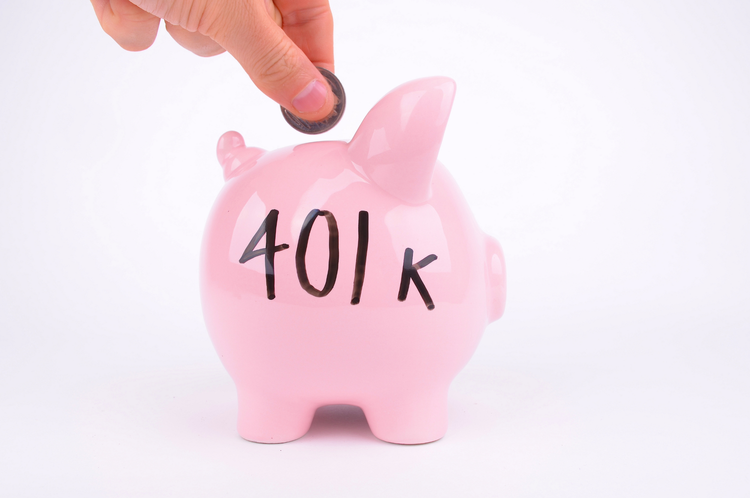
Next, we suggest our Dropbox clients to maximize their retirement account contributions. Tax-advantaged retirement accounts like traditional IRA or 401(k) plan are funded with pre-tax amounts and compound over the years. That is a great way of investing in your future. They are also helpful at tax time, since any contributions you make to these plans lower your taxable income.
For the current tax year, the maximum allowable 401(k) contributions are the following: $24,500 for ages 49 and below $32,000 for ages 50 and above (including $7,500 catch-up contribution) For the current tax year, the maximum allowable IRA contributions are as follows: $7,000 for ages 49 and below $8,100 for ages 50 and above (including $1,100 catch-up contribution) For any Dropbox clients who have an HSA (health savings account), try to contribute as much as you can to that account (the current limits are $4,400 for individuals, $8,750 for families and an additional $1,000 for individuals 55 years and older).
Take action:
For our Dropbox clients who cannot make the maximum contribution to their 401(k), try to contribute the amount that Dropbox is willing to match. All 401(k) contributions have to be made by December 31 of every year. But, you can make contributions to IRAs and HSAs until the tax filing deadline in April of the following year.
Take any RMDs from your traditional retirement accounts (if you are 73 or older)
Featured Video
Articles you may find interesting:
- Corporate Employees: 8 Factors When Choosing a Mutual Fund
- Use of Escrow Accounts: Divorce
- Medicare Open Enrollment for Corporate Employees: Cost Changes in 2024!
- Stages of Retirement for Corporate Employees
- 7 Things to Consider Before Leaving Your Company
- How Are Workers Impacted by Inflation & Rising Interest Rates?
- Lump-Sum vs Annuity and Rising Interest Rates
- Internal Revenue Code Section 409A (Governing Nonqualified Deferred Compensation Plans)
- Corporate Employees: Do NOT Believe These 6 Retirement Myths!
- 401K, Social Security, Pension – How to Maximize Your Options
- Have You Looked at Your 401(k) Plan Recently?
- 11 Questions You Should Ask Yourself When Planning for Retirement
- Worst Month of Layoffs In Over a Year!
- Corporate Employees: 8 Factors When Choosing a Mutual Fund
- Use of Escrow Accounts: Divorce
- Medicare Open Enrollment for Corporate Employees: Cost Changes in 2024!
- Stages of Retirement for Corporate Employees
- 7 Things to Consider Before Leaving Your Company
- How Are Workers Impacted by Inflation & Rising Interest Rates?
- Lump-Sum vs Annuity and Rising Interest Rates
- Internal Revenue Code Section 409A (Governing Nonqualified Deferred Compensation Plans)
- Corporate Employees: Do NOT Believe These 6 Retirement Myths!
- 401K, Social Security, Pension – How to Maximize Your Options
- Have You Looked at Your 401(k) Plan Recently?
- 11 Questions You Should Ask Yourself When Planning for Retirement
- Worst Month of Layoffs In Over a Year!
Dropbox-sponsored retirement plans, traditional IRAs, SEP, and SIMPLE IRAs all require RMDs by April 1st of the following year, once you've turned 73. From then on, annual withdrawals must be made by December 31 to prevent a penalty.* RMDs are considered taxable income. If you do not take the RMD, you will face a 25 percent excise tax on the amount you should have withdrawn based on your age, life expectancy, and beginning-of-year account balance (reduced to 10 percent if the shortfall is corrected within the applicable correction window).
Take action:
Take your RMD by December 31. Your first withdrawal must be taken on or before April 1 of the following year once you turn 73 to avoid penalties. For those of our Dropbox clients who do not require the cash flow and do not wish to increase their taxable income, you may wish to consider a Qualified Charitable Distribution (QCD) from your qualified account to a public charity. However, these Dropbox clients will not be able to claim the charitable contribution itemized deduction. QCDs are limited to $100,000 per year. Unlike the rules for RMDs, QCD gifts are allowed as early as age 70 1/2 if you are philanthropic.
Explore Roth IRA conversion
Even though one can open and contribute to a Roth IRA depending on the income level, we would like to remind the clients of Dropbox that they can transfer some or all of the assets from a traditional IRA or workplace savings plan (e.g., 401(k)) to a Roth IRA. Roth IRAs can be very helpful to your retirement portfolio; traditional IRAs are taxed at the time of withdrawal in retirement, whereas Roth IRAs are not. This can help you have more control over your cash flow and your future tax planning. An exchange of assets from a qualified account such as 401(k) or traditional IRA to a Roth IRA is classified as a taxable event in the conversion year. The pre-tax amounts converted to the Roth IRA, and all the earnings of the pre-tax amounts, are included in the gross income of the taxpayer and are taxed as ordinary income.
Take action: We propose that these Dropbox clients seek the opinion of their tax consultant or financial advisor to establish whether a Roth conversion is feasible for them. The Dropbox clients who decide to convert their accounts should try to minimize the tax consequences. A strategy is to convert amounts only to the level that you stay in your current tax bracket. You can do Roth IRA conversions over a period of years to control the tax consequences.
Use any remaining balance in your flexible spending account (FSA) to spend it.
Flexible spending arrangements are basically the savings plans for the out-of-pocket expenses on healthcare. An FSA is a pre-tax differential to your medical expenses, so you pay less in taxes. You can deduct this loss against capital gains elsewhere in your portfolio, which means that the capital gains tax you owe is reduced. The idea of the tax-loss harvesting is to possibly shift the income taxes to the future, preferably when you are not working at Dropbox and thus in a lower tax bracket. This way, your portfolio will be able to grow and compound faster than if you had to take the money from it to pay the taxes on its gains.
Take action:
Tax-loss harvesting implies that one must monitor tax loss across a portfolio and the market movements because the opportunity to take tax-loss harvesting can be at any time. These Dropbox clients should seek the help of a financial advisor who will assist them in identifying the losses that can be used to offset gains. *Note: Tax-loss harvesting does not apply to tax-advantaged accounts including traditional, Roth and SEP IRAs, 401(k)s and 529 plans.
Bunching your itemized deductions
Certain expenses, such as the following, can be classified as itemized deductions: Medical and dental expenses. Deductible taxes. Qualified mortgage interest, including points for buyers. Interest on investment income. Interest on investment income. Charitable contributions. Casualty, disaster, and theft losses. In order to itemize, your expenses in each category must be higher than a certain percentage of your adjusted gross income (AGI). For instance, let's assume that you want to itemize your medical expenses. For the current tax year, the threshold for itemizing medical expenses is 7.5% of your adjusted gross income. If the medical expenses are 5% of your AGI, then it will not be beneficial to itemize.
Bunching is a way to reach that minimum threshold. In this example, you could delay 2.5% of your expenses to the following year. Thus, you will be more likely to cross the minimum 7.5% of AGI that next tax season which you will be able to itemize. Take action: For any Dropbox clients who have been waiting on certain medical and dental expenses or charitable contributions, you might want to group these expenses to take the most advantage of itemizing the deductions.
Use any remaining balance in your flexible spending account (FSA)
FSAs are basically bank accounts for out-of-pocket healthcare costs. An FSA is the amount of money you set aside from your salary for medical expenses before you pay taxes on it. When you inform Dropbox how much of each paycheck you want to set aside for your FSA, you should know that any balance remaining in the account on December 31, 2022, will be taxed, and you will also be unable to access the money unless Dropbox permits a certain amount to be carried over to the following year.
Take action:
We propose that our Dropbox clients make sure to schedule any last-minute check-ups and eye exams by December 31, 2022. Get prescription drugs for you and your family. For those of our Dropbox clients who have a balance, try to purchase items allowed under FSA (e.g., contact lenses, glasses, bandages).
Sources:
1. Fidelity Investments. 'Tax-Savvy Withdrawals in Retirement.' Fidelity . www.fidelity.com/viewpoints/retirement/tax-savvy-withdrawals . Accessed 15 Feb. 2025.
2. Adams, Hayden. '5-Step Tax-Smart Retirement Income Plan.' Charles Schwab , 5 Aug. 2024, www.schwab.com/learn/story/5-step-tax-smart-retirement-income-plan . Accessed 15 Feb. 2025.
3. Weltman, Barbara. '5 Tax Planning Strategies for Your Retirement Income.' Investopedia , 23 Sept. 2024, www.investopedia.com/retirement/tax-strategies-your-retirement-income . Accessed 15 Feb. 2025.
4. Vanguard. 'Tax-Efficient Retirement Strategy.' Vanguard , www.investor.vanguard.com/advice/tax-efficient-retirement-strategy . Accessed 15 Feb. 2025.
5. Ameriprise Financial. 'Tax Planning for Retirement.' Ameriprise Financial , www.ameriprise.com/financial-goals-priorities/taxes/how-to-minimize-taxes . Accessed 15 Feb. 2025.
What type of retirement savings plan does Dropbox offer to its employees?
Dropbox offers a 401(k) retirement savings plan to its employees.
Does Dropbox match employee contributions to the 401(k) plan?
Yes, Dropbox provides a matching contribution to employee contributions made to the 401(k) plan.
What is the maximum contribution limit for the Dropbox 401(k) plan?
The maximum contribution limit for the Dropbox 401(k) plan is in accordance with IRS guidelines, which may change annually.
Can employees at Dropbox choose between traditional and Roth 401(k) contributions?
Yes, employees at Dropbox have the option to choose between traditional and Roth 401(k) contributions.
When can Dropbox employees enroll in the 401(k) plan?
Dropbox employees can enroll in the 401(k) plan during the open enrollment period or when they first become eligible.
How often can Dropbox employees change their contribution amounts to the 401(k) plan?
Dropbox employees can change their contribution amounts to the 401(k) plan at any time, subject to plan rules.
Does Dropbox offer financial education resources for employees regarding the 401(k) plan?
Yes, Dropbox provides financial education resources to help employees understand their 401(k) options and investment choices.
Are there any fees associated with the Dropbox 401(k) plan?
Yes, there may be fees associated with the Dropbox 401(k) plan, which are disclosed in the plan documents.
What investment options are available in the Dropbox 401(k) plan?
The Dropbox 401(k) plan offers a variety of investment options, including mutual funds and target-date funds.
Can Dropbox employees take loans against their 401(k) savings?
Yes, Dropbox employees may have the option to take loans against their 401(k) savings, subject to plan rules.



-2.png?width=300&height=200&name=office-builing-main-lobby%20(52)-2.png)








.webp?width=300&height=200&name=office-builing-main-lobby%20(27).webp)


-2.png)







.webp)